
Ocean freight operations rarely run through a single system. Orders may originate in an ERP, rates may be stored in spreadsheets, bookings may be submitted through carrier or freight-forwarder portals, and shipment updates may come from several different data providers.
This fragmentation makes it difficult to maintain one reliable view of a shipment. Logistics teams spend time reconciling information, repeating data entry and following up through email instead of managing exceptions and improving performance.
Ocean freight software helps companies plan, execute, monitor and analyze containerized shipping operations. Depending on the platform, it may support carrier allocation, rate comparison, booking, documentation, container tracking, exception management, detention and demurrage monitoring, freight-cost analysis and emissions reporting.
However, ocean freight software is not one uniform product category. A transportation management system, a supply-chain visibility platform and a container-tracking tool may all support ocean shipments, but they solve different problems.
This guide explains the main types of ocean freight software, how the systems fit together and what companies should evaluate before selecting and implementing a platform.
What Is Ocean Freight Software?
Ocean freight software is a broad category of digital tools used to manage containerized cargo transported by sea.
Some platforms focus on one activity, such as tracking containers or managing freight rates. Others coordinate several stages of the shipment lifecycle, from planning and carrier allocation to booking, documentation, tracking and performance reporting.
The software may be used by importers, exporters, manufacturers, retailers, freight forwarders and logistics service providers. The right solution depends on the organization’s role in the supply chain and the level of operational control it needs.
For example, a shipper that books directly with several ocean carriers may need strong allocation, booking and documentation capabilities. A company that delegates execution to freight forwarders may prioritize partner collaboration, standardized visibility and performance reporting.
This distinction matters because tools described as “ocean freight software” are not always designed for the same user, process or business objective.
The Main Types of Ocean Freight Software
Before comparing vendors, companies should first determine which software category or combination of categories, fits their operating model.
| Software category | Primary purpose | Typical capabilities | Main question to ask |
| Ocean freight execution software | Manages ocean-specific shipment operations for importers and exporters. | Planning, allocation, schedules, booking, documents, tracking, collaboration, exceptions and analytics. | Can the platform execute the shipment workflow or only display information? |
| Transportation management system | Coordinates transportation across one or several modes. | Planning, routing, tendering, carrier management, freight audit and settlement. | How deep are its ocean-specific workflows and carrier connections? |
| Supply-chain visibility platform | Aggregates location, milestone and ETA information. | Shipment tracking, predictive ETAs, alerts and network dashboards. | Can users take action inside the platform, or is it visibility only? |
| Freight-forwarding software | Supports freight forwarders and logistics providers managing customer shipments. | Quotations, operational files, consolidations, customs, billing and profitability analysis. | Is it designed around the forwarder’s process or the shipper’s control needs? |
| Container-tracking tool | Monitors individual containers and vessels. | Milestones, vessel positions, estimated arrival times and alerts. | What can the user do after a delay is identified? |
| Rate-management system | Centralizes freight rates, contracts and surcharges. | Rate comparison, procurement, tendering and quote generation. | Does it manage the shipment after a rate is selected? |
| Carrier portal or booking network | Connects users with one or several ocean carriers. | Schedules, booking requests, shipping instructions and tracking. | Can processes and data be standardized across all carriers? |
| ERP transportation module | Connects transportation with enterprise orders, inventory and finance. | Shipment creation, master data, cost allocation and invoice workflows. | Which ocean-specific functions require a connected specialist platform? |
These categories are not mutually exclusive.
A company may use an ERP as the source of purchase orders, a TMS for multimodal planning, an ocean freight platform for booking and documentation, and a separate visibility provider for additional predictive data.
The key question is not whether one category is universally better. It is which system should own each workflow and which system should serve as the source of truth for each type of information.
For a vendor-by-vendor overview, read BuyCo’s ocean freight software comparison.
How Ocean Freight Software Fits Into the Technology Stack
Ocean freight software normally operates between a company’s internal business systems and its external shipping network.
Internal systems may provide:
- Purchase orders and sales orders.
- Shipment forecasts.
- Product and cargo information.
- Supplier and customer data.
- Carrier contracts and rates.
- Financial codes and cost centers.
The ocean freight platform may then exchange operational information with:
- Ocean carriers.
- Freight forwarders.
- Ports and terminals.
- Inland transportation providers.
- AIS and vessel-data providers.
- Customs and compliance systems.
The platform standardizes this information and returns booking confirmations, shipment milestones, documents, exceptions, costs and performance data to ERP, TMS, finance or business-intelligence systems.
The objective is not necessarily to replace every existing system. It is to prevent critical ocean freight activities from remaining disconnected between several tools, teams and logistics partners.
The Complete Ocean Freight Workflow
A useful software evaluation should follow the shipment lifecycle rather than treating ocean freight as one activity.
At every stage, companies should identify the operational problem, the data required and the software capability needed.
| Workflow stage | Operational problem | Required data | Capabilities to evaluate |
| 1. Forecasting and planning | Teams need to translate demand, production plans or purchase orders into expected container requirements. Without a consolidated view, capacity may be secured too late. | Forecast volumes, origins, destinations, delivery dates, cargo types, equipment requirements and historical demand. | Demand consolidation, lane planning, capacity forecasting, scenario analysis and ERP or planning-system integration. |
| 2. Carrier allocation | Companies must distribute volume according to carrier commitments while considering price, capacity and service reliability. | Carrier contracts, committed volumes, lane allocations, rates, transit times, capacity and historical performance. | Allocation rules, contract-utilization tracking, carrier recommendations, volume reporting and commitment alerts. |
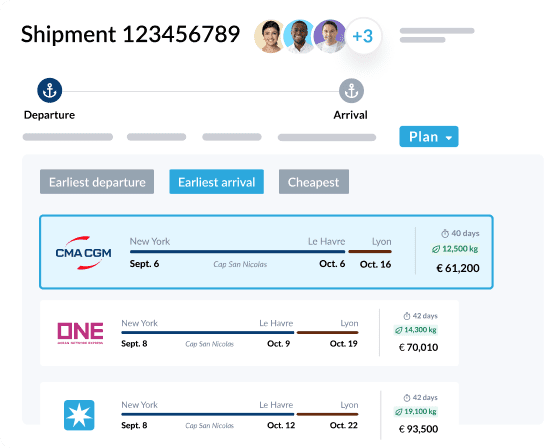
| 3. Rate and schedule comparison | The lowest base rate may not be the best option once surcharges, routing, transit time, free time and reliability are considered. | Contract and spot rates, surcharges, schedules, port pairs, routing, free-time terms and historical reliability. | Centralized rates, schedule search, total-cost comparison, contract-validity controls and service comparison. |
| 4. Booking | Booking often requires repeated data entry across carrier and forwarder systems, with confirmations and amendments managed separately. | Cargo details, equipment type, origin, destination, requested sailing, contract reference and shipper information. | Carrier connectivity, reusable templates, automated validation, booking confirmations, amendments and audit trails. |
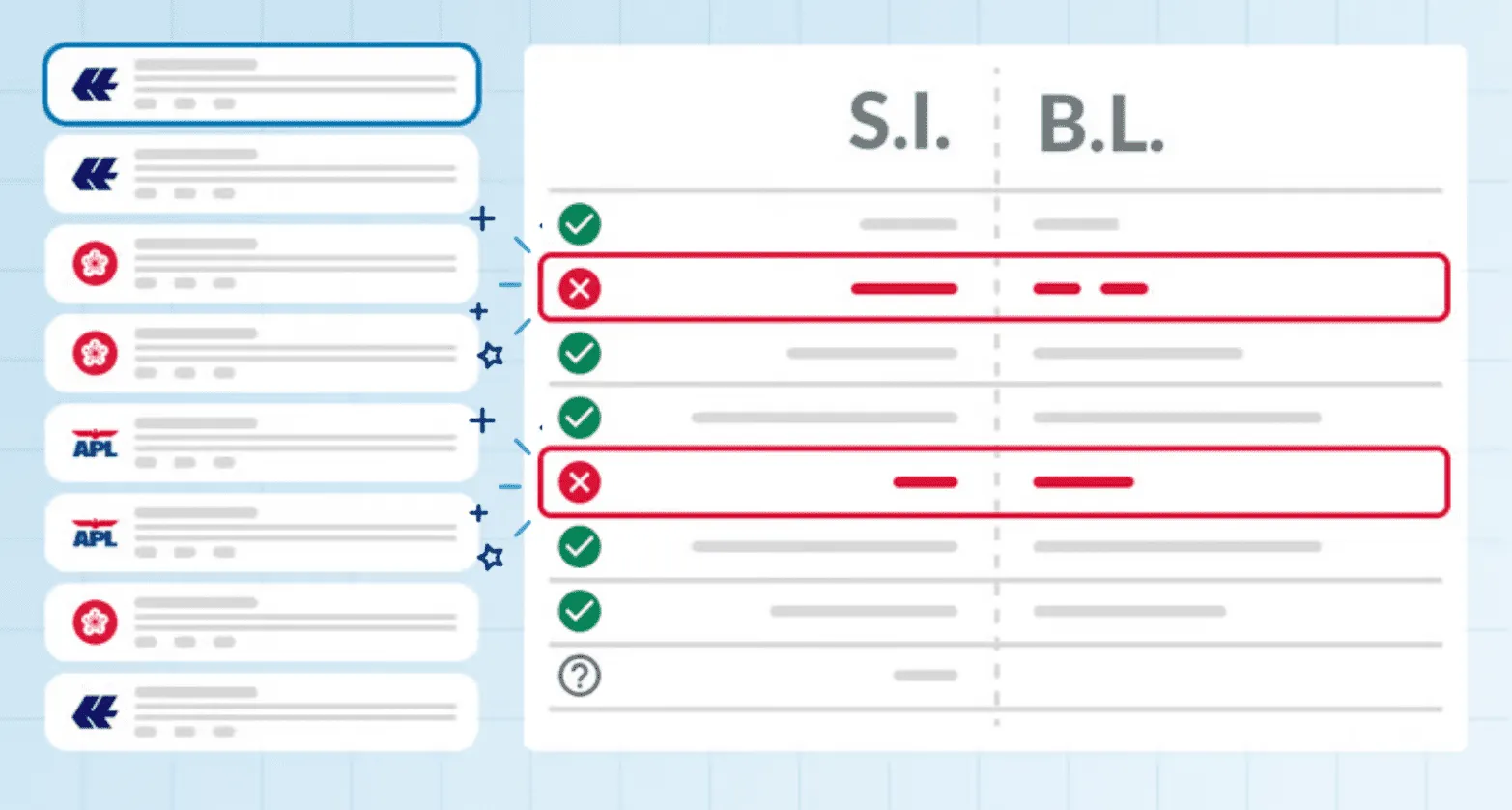
| 5. Documentation | Shipping instructions, VGM declarations and bills of lading pass through several organizations and may contain missing or conflicting information. | Cargo descriptions, weights, parties, container details, customs information, deadlines and approval responsibilities. | Templates, field validation, version control, approvals, document generation and partner transmission. |
| 6. Container tracking | Milestones may come from carriers, terminals, forwarders and vessel-data providers in different formats and at different times. | Booking numbers, bills of lading, container numbers, carrier events, terminal events, schedules and AIS positions. | Multi-source data, milestone normalization, source identification, predictive ETAs and data-quality indicators. |
| 7. Exception management | A delay only becomes useful information when the right person understands its impact and takes responsibility for resolving it. | Planned and actual milestones, shipment priority, customer commitments, business rules and escalation responsibilities. | Exception rules, severity levels, assignment, ownership, escalation, collaboration and resolution dashboards. |
| 8. Detention and demurrage | Costs may accumulate before teams realize that a container is approaching or exceeding its free-time limit. | Discharge dates, availability dates, terminal pick-up events, empty-return events, free-time terms and tariffs. | Free-time tracking, risk alerts, estimated exposure, event histories and dispute-supporting documentation. |
| 9. Invoice and performance analysis | Invoices may not match contracted terms, while operational performance information remains spread across several systems. | Rates, invoices, shipment milestones, allocations, exceptions and accessorial charges. | Invoice validation, spend reporting, cost allocation, carrier scorecards, lane analysis and BI exports. |
| 10. Emissions reporting | Companies need consistent and auditable emissions information across shipments, carriers and trade lanes. | Shipment weight, equipment type, route, distance, vessel or service information and calculation methodology. | Shipment-level calculations, transparent methods, auditable data and reporting by carrier, lane or business unit. |
This workflow also helps companies avoid buying more software than they need.
A business whose main problem is incomplete milestone data may initially need a visibility or tracking solution. A company trying to automate booking, documents and exception workflows should not select a visibility-only platform and assume execution capabilities are included.
Ocean Freight Software Selection Checklist
Before contacting vendors, companies should document their requirements internally.
Shipment Profile
- How many ocean shipments and containers are managed each month and year?
- Which trade lanes, equipment types and cargo categories must be supported?
- Do volumes vary significantly by season, region or business unit?
- Does the company manage imports, exports or both?
Carrier and Forwarder Network
- How many ocean carriers and freight forwarders are involved?
- Does the company book directly with carriers, through forwarders or through a mixed model?
- Which logistics partners need access to the platform?
- How frequently are new carriers, forwarders or trade lanes introduced?
Existing Systems and Integrations
- Which ERP, TMS, WMS, finance and BI systems are already in use?
- Which system creates the shipment order?
- Which system should remain authoritative for orders, rates, invoices and master data?
- Which integrations are essential for the first implementation phase?
- Are standard APIs or connectors available, or will custom development be required?
Data Quality
- How complete and timely are current carrier and forwarder milestones?
- How should duplicate or conflicting shipment events be resolved?
- Can users see where important data originated and when it was updated?
- Who owns master-data quality internally?
Workflows and Automation
- Which manual activities consume the most time?
- Which processes should be automated first?
- Can rules vary by carrier, customer, region or business unit?
- Can users override automation when necessary, with an auditable record?
- How should exceptions be assigned and escalated?
Users, Security and Reporting
- Which internal and external users need access?
- Can permissions be configured by role, geography, business unit or shipment?
- Does the platform meet the company’s security, hosting and data-residency requirements?
- Which operational and executive reports are required?
- Can data be exported to existing finance or BI systems?
Implementation and Scalability
- Who will act as executive sponsor and project owner?
- How much IT, operations and data support is available?
- Who will onboard carriers and freight forwarders?
- Can the solution support future regions, shipment volumes and workflows?
- How will pricing change as usage grows?
RFP Questions to Ask Ocean Freight Software Vendors
A useful RFP should require vendors to explain how their platform works in the company’s actual operating environment.
Avoid questions that can be answered with a simple “yes.” Ask vendors to identify data sources, explain limitations and demonstrate realistic workflows.
- Which shipment milestones come directly from ocean carriers, and which come from forwarders, terminals or AIS providers?
- How frequently is each data source updated?
- How are duplicate or conflicting shipment events resolved?
- Can users see the source and timestamp of each important milestone or ETA?
- Can the platform execute bookings and amendments, or does it only provide visibility?
- Which documentation workflows are supported as standard?
- How are exceptions assigned, prioritized and escalated?
- Which integrations are standard, configurable or fully custom?
- How are integration failures monitored and corrected?
- How are carrier connections maintained when carrier systems or APIs change?
- What customer resources are required during implementation?
- How are carriers, freight forwarders and other partners onboarded?
- Can the company export its complete operational dataset in a usable format?
- Which connectors, data sources or services involve additional charges?
- How is implementation success and time-to-value measured?
During demonstrations, give every shortlisted vendor the same shipment scenarios.
Ask each vendor to show how the platform handles:
- A new booking.
- A booking amendment.
- A rolled shipment.
- Conflicting ETA information.
- An exception that has not been assigned.
- A container approaching the end of its free-time period.
- The same shipment appearing in a carrier-performance report.
This provides a more meaningful comparison than a generic product tour.
How to Implement Ocean Freight Software
Implementation should be treated as an operational-change project, not only as a technical installation.
1. Build the Stakeholder Team
The project should normally involve ocean freight operations, logistics management, procurement, IT, ERP or TMS owners, finance, data teams and information security.
Regional teams and external logistics partners may also need to participate when workflows differ by country, carrier or forwarder.
2. Define Process and System Ownership
Map the current workflow and decide what the future process should look like.
For each activity, identify who performs it, which information is required, which system initiates it and which system stores the final result.
Also define which approvals remain necessary, which tasks can be automated and who is responsible when information is missing or incorrect.
This prevents the new platform from reproducing an inefficient process in a different interface.
3. Prepare Data and Integrations
Implementation data may include carriers, forwarders, rates, allocations, trade lanes, ports, locations, users, document templates and historical shipments.
The data should be validated, standardized and assigned an internal owner before migration.
Integration design should also define field mapping, transfer frequency, error handling, monitoring responsibilities and which system owns each data object.
4. Select a Focused Pilot
A pilot should be large enough to test real operational complexity but narrow enough to control.
A practical scope may include one region, several representative trade lanes, two or three carriers or forwarders and a limited set of priority workflows.
The pilot should include both standard shipments and realistic exceptions. Difficult shipments often reveal more about the platform than straightforward ones.
5. Test and Train
Testing should cover the complete process, from shipment creation and booking to documents, tracking, exceptions and reporting.
Users who will perform the work should participate in user-acceptance testing. Technical connectivity alone does not prove that the operational workflow is practical.
Training should be adapted to each role and use the company’s own trade lanes, documents and common disruption scenarios.
6. Measure Adoption and Value
Define baseline measurements before implementation so performance can be compared after launch.
Useful metrics may include:
- Percentage of shipments managed in the platform.
- Percentage of bookings submitted digitally.
- Booking-confirmation time.
- Manual data entries per shipment.
- Document-error rate.
- Percentage of exceptions assigned on time.
- Average exception-resolution time.
- Tracking-data completeness.
- Detention and demurrage exposure.
- User and partner adoption.
- Time required to produce reports.
Time-to-value should be connected to an operational outcome rather than simply the technical launch date.
For example, the first value milestone may be reducing manual booking work, improving tracking completeness or identifying demurrage risks before charges begin.
Common Selection Mistakes
Comparing Different Software Categories
A tracking tool and an execution platform may both appear in a search for ocean freight software, but they do not solve the same problem.
Define the required workflows before creating the vendor shortlist.
Assuming Visibility Includes Execution
Knowing that a shipment is delayed is not the same as having a process for resolving the delay.
Companies should evaluate what users can do after the software identifies an event.
Ignoring Data Lineage
Shipment information is difficult to trust when users cannot see where it originated or when it was last updated.
Data quality and source transparency deserve as much attention as the platform’s dashboard design.
Underestimating Implementation and Partner Onboarding
The software may be technically ready before carriers, freight forwarders and internal teams are ready to use it.
Implementation planning should include partner onboarding, workflow ownership, user training and adoption measurement.
Where BuyCo Fits
BuyCo is an example of an ocean freight execution platform designed for importers and exporters managing containerized shipments through ocean carriers, freight forwarders or a combination of both.
The platform brings together activities such as planning, booking, documentation, container tracking, stakeholder collaboration, exception management and reporting.
This type of platform may be relevant when a company wants to coordinate several stages of ocean freight execution in one environment rather than relying on separate carrier portals, tracking tools, spreadsheets and email.
As with any platform, BuyCo should be evaluated against the company’s operating model, carrier and forwarder network, integration requirements, data quality, security standards and implementation resources.
Learn more about the BuyCo shipping container management platform.
For a vendor-by-vendor overview, read the ocean freight software comparison.
Companies with an active project can also request a BuyCo demonstration.
Frequently Asked Questions
What Is Ocean Freight Software?
Ocean freight software is a category of digital tools used to plan, execute, monitor and analyze containerized maritime shipments. It may support one specific function or several stages of the shipment lifecycle.
What Is the Difference Between Ocean Freight Software and a TMS?
Ocean freight software focuses specifically on containerized maritime transportation. A TMS may cover several transport modes and broader activities such as routing, tendering, freight audit and settlement.
A company may use both when a TMS manages the broader transportation network and a specialized platform manages ocean freight execution.
What Is the Difference Between Ocean Freight Software and Container-Tracking Software?
Container-tracking software mainly provides milestones, vessel positions and ETAs. Broader ocean freight software may also support carrier allocation, booking, documentation, exception management and performance analysis.
Can Ocean Freight Software Integrate With an ERP?
Yes. Ocean freight platforms may exchange purchase orders, shipment information, master data, costs and statuses with ERP systems through APIs, EDI or file-based integrations.
The implementation should clearly define which system owns each data object and how incomplete or failed transfers will be handled.
Can Ocean Freight Software Be Used With Freight Forwarders?
Yes. Some platforms support direct-carrier shipments, freight-forwarder-managed shipments or a combination of both.
Companies should confirm how each forwarder will exchange bookings, documents, milestones and exception information with the platform.
How Should Companies Compare Ocean Freight Platforms?
Companies should first define their workflows, systems, data requirements and desired business outcomes. Shortlisted vendors should then demonstrate the same realistic shipment scenarios so their capabilities can be compared consistently.
Conclusion
The best ocean freight software is not necessarily the platform with the longest feature list.
It is the solution or combination of solutions that matches the company’s shipment profile, operating model, existing systems, logistics network and ability to implement change.
Start by mapping the complete workflow. Identify where information, responsibility and communication currently break down. Then evaluate software vendors against those specific requirements.
This creates a more useful selection process for the company and a clearer educational resource for anyone trying to understand the ocean freight software market.